Getting Started

How to run, score, and follow a tournament on BracketBoard.

A mat worker enters scores for a single mat at a tournament. The director invites you, you sign in with the link they email, and you score matches as they happen on your assigned mat.

  1. 1

    Get invited

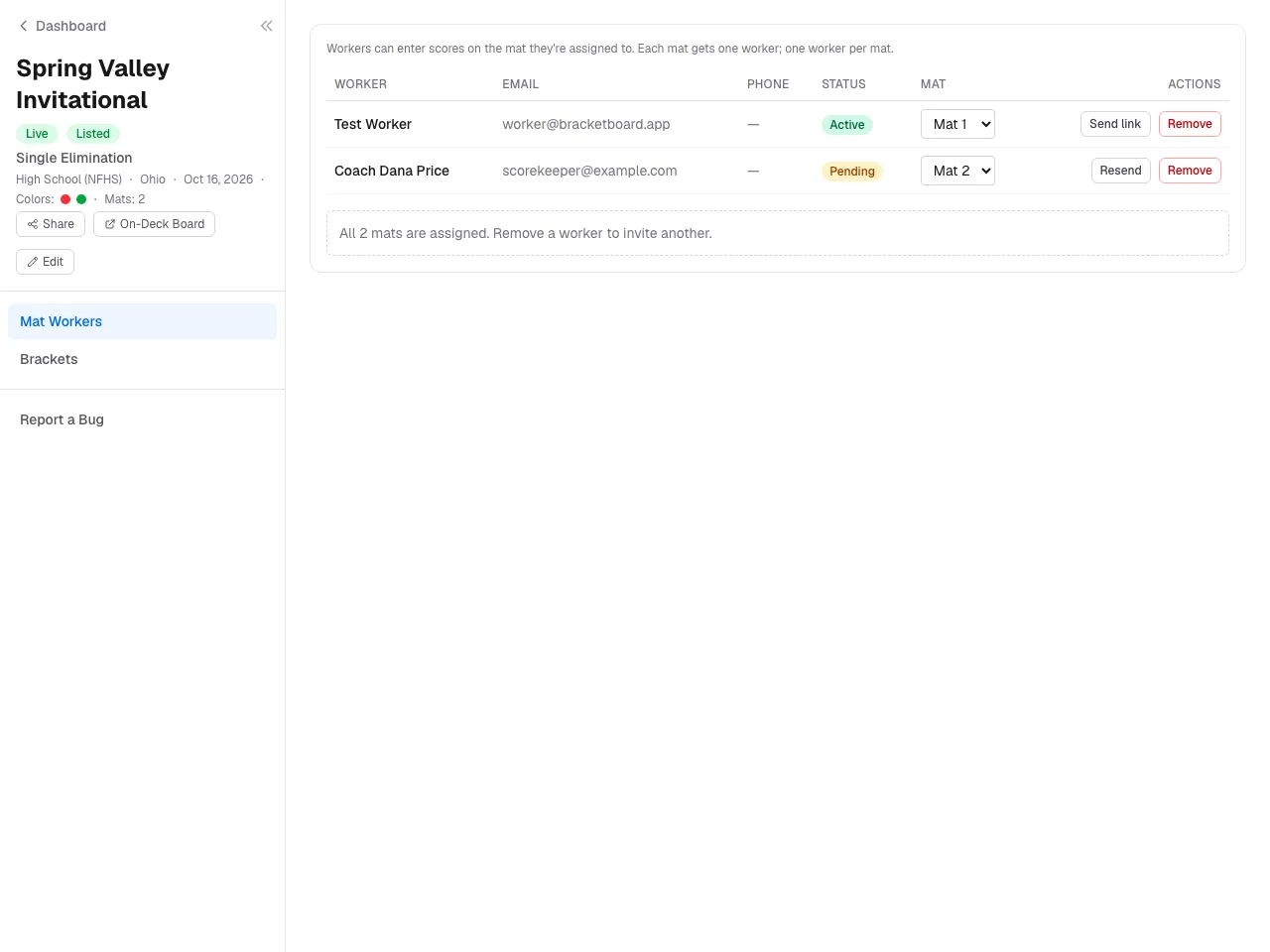
    The tournament director adds you in their Mat workers panel — they pick a name, enter your email, and assign you a mat. Each mat gets one worker; one worker per mat.

    BracketBoard sends a sign-in link to your inbox. The link is single-use and expires in one hour. If it expires before you click it, ask the director to hit Send link again.

    Director's Mat workers panel showing the invite form (name, email, mat) and a worker row with status badge.
  2. 2

    Sign in

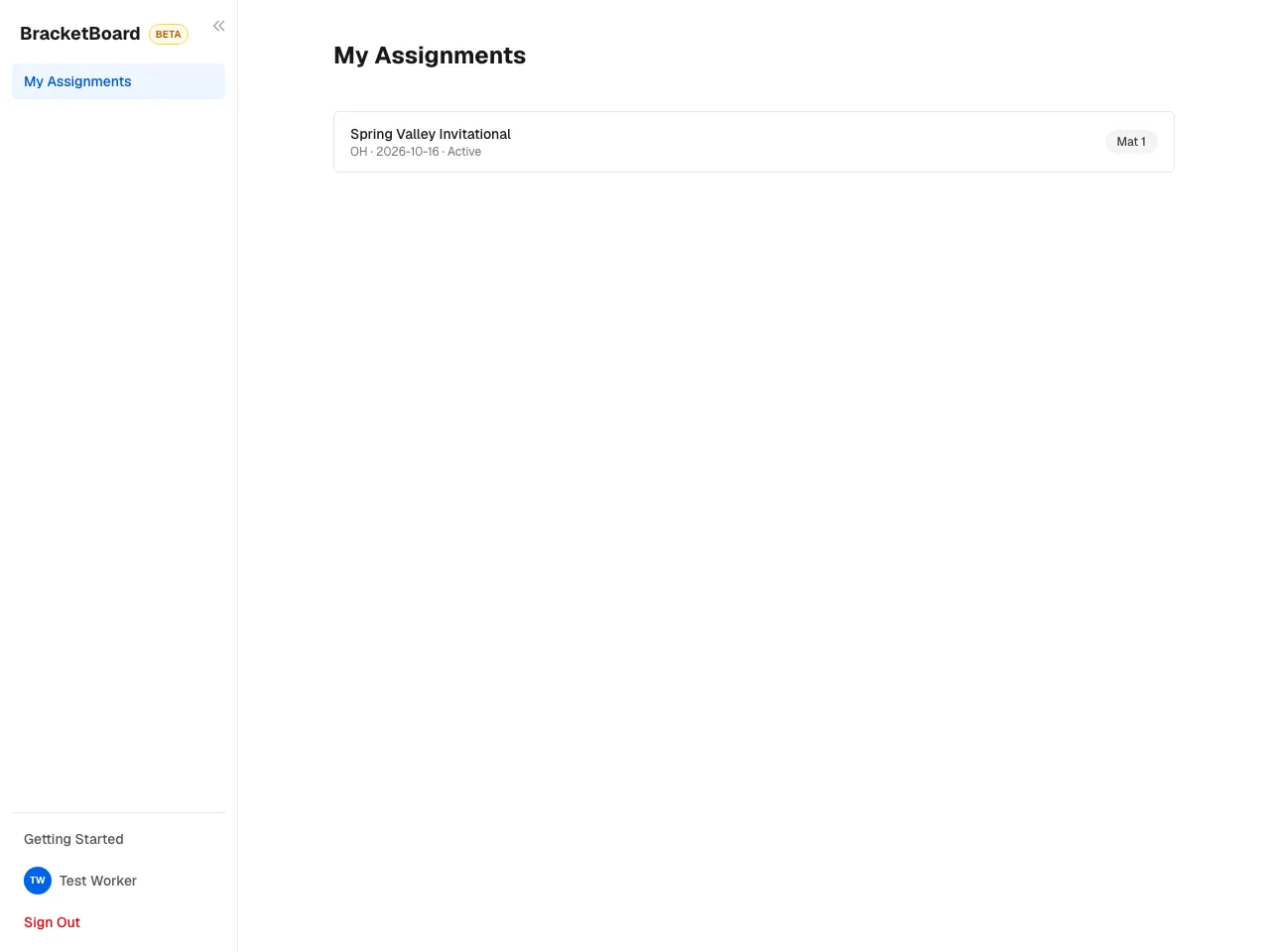
    Click the Sign in button in the email. You'll land on your dashboard at /dashboard with a My Assignments section listing the tournament you're on plus your mat number.

    Your name, organization, and email are pre-filled from the director's invite. You can update your display name and phone on the profile page. Organization is set by the director and isn't editable by workers.

    Worker dashboard with the My Assignments section listing a tournament and mat number.
  3. 3

    Find your mat

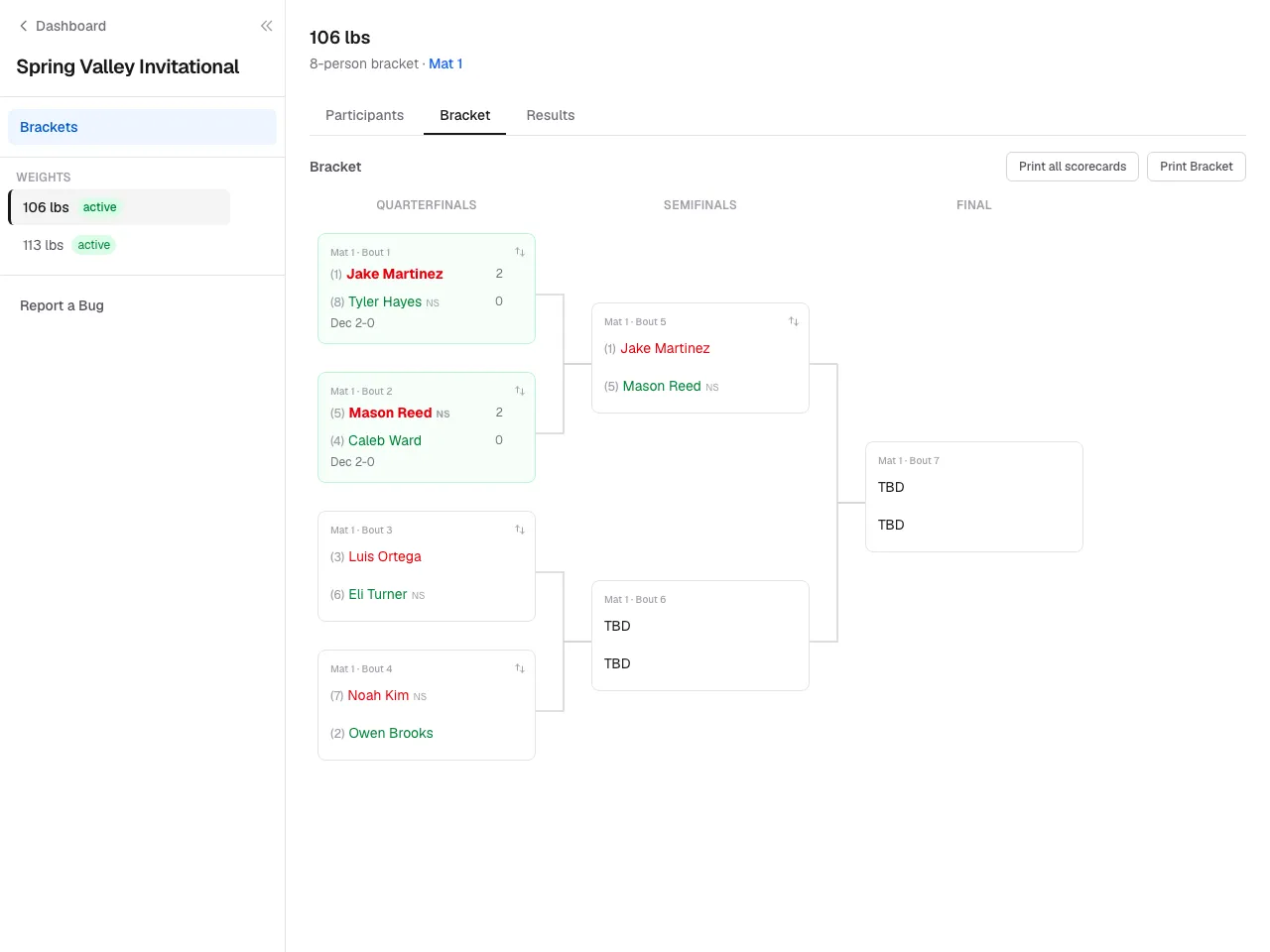
    Click the tournament card under My Assignments. You'll land on the manage view for a division on your mat. Use the division list on the left (or the dropdown on mobile) to switch between weight classes if multiple are running on your mat.

    Manage view for a division on the worker's mat — division selector and the bracket below.
  4. 4

    Enter scores

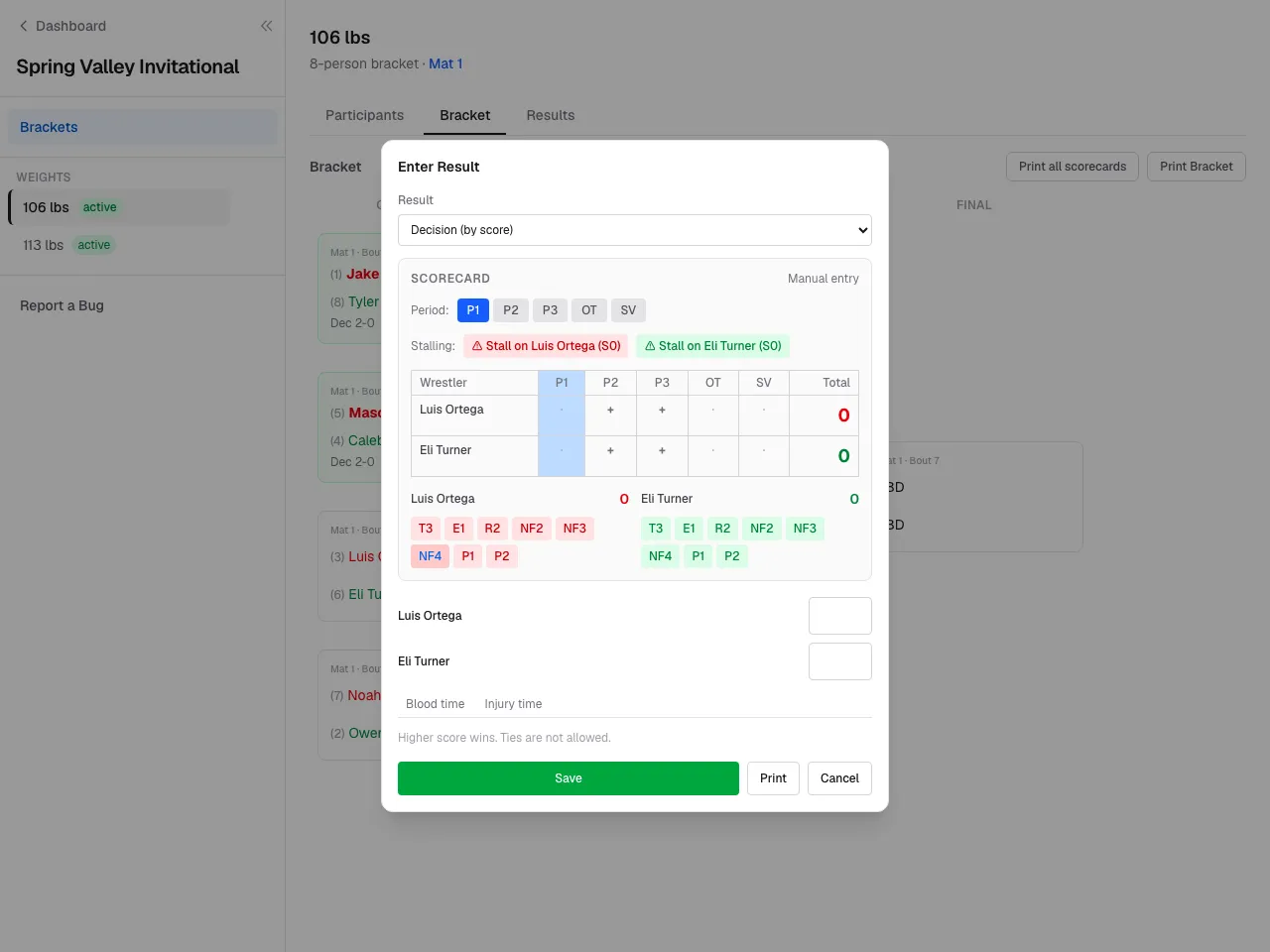
    On any match card on your mat, click Enter Result. Pick the result type (Decision, Major, Tech Fall, Pin, Forfeit, DQ, Injury), enter scores or pin time, and save. The bracket auto-advances winners to the next round.

    You can edit a score you've entered until the director or another change locks it in. Matches on other mats are visible but read-only — you can only write to your assigned mat.

    Match card with the Enter Result dialog open: result type selector, score inputs, save button.
  5. 5

    When the mat finishes

    Once every match on your mat has a winner, your write access ends — the bracket is fully decided. The director can still make corrections from the manage view if needed.

    Bracket on a finished mat — every match decided, no Enter Result buttons visible to the worker.

Still stuck? Contact us.