Getting Started
How to run, score, and follow a tournament on BracketBoard.
For coaches, parents, players, and fans. Public pages are free — no account, no app.
- 1
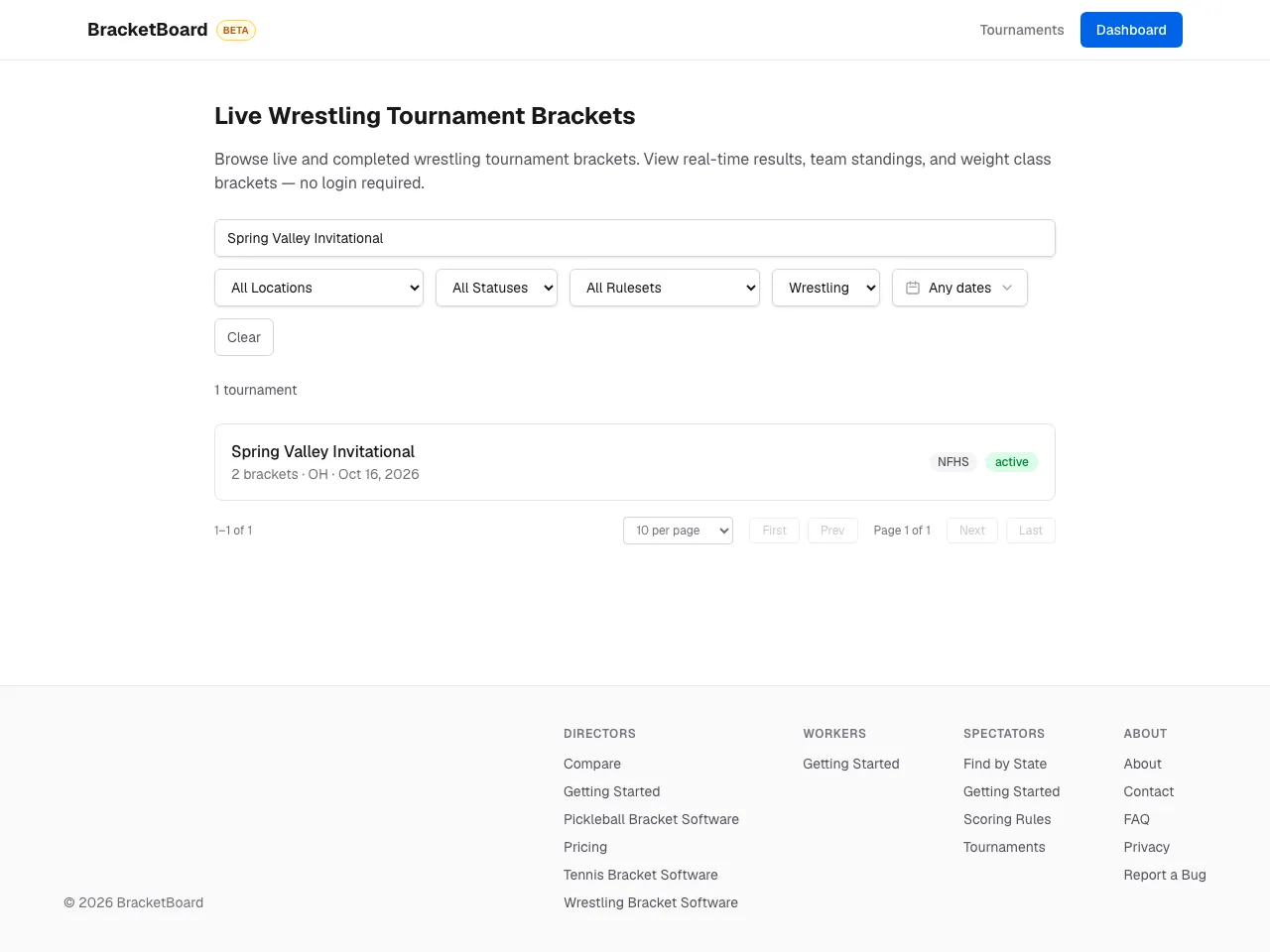
Find a tournament
Browse tournaments and filter by sport, location, status, Level, or date — or open the link the director shared.
- 2
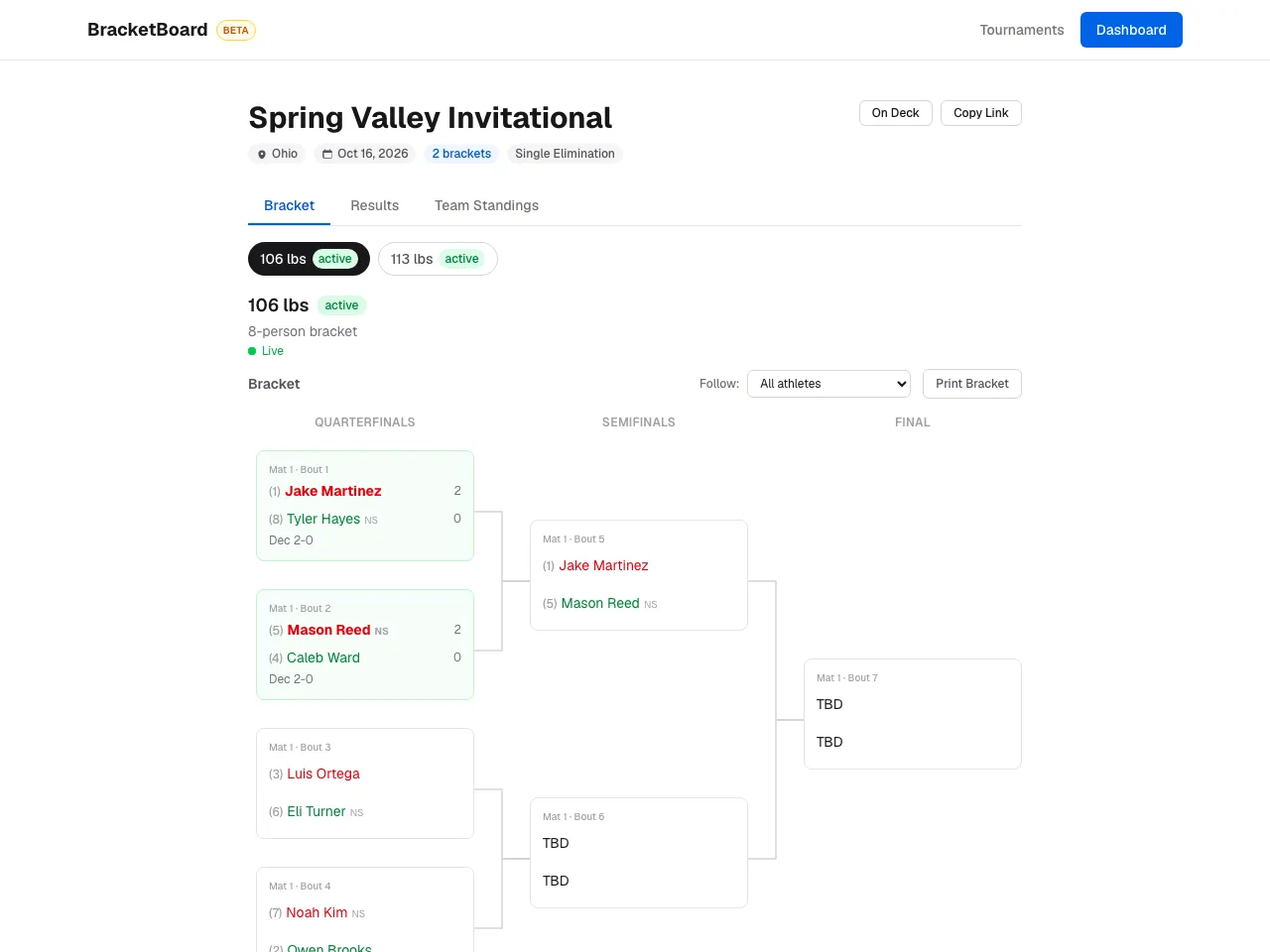
Read the bracket
Each of the event's weight classes has its own bracket. Seeds sit next to names, winners advance, and finished matches show their score. Pick a wrestler under Follow to highlight their path.
- 3
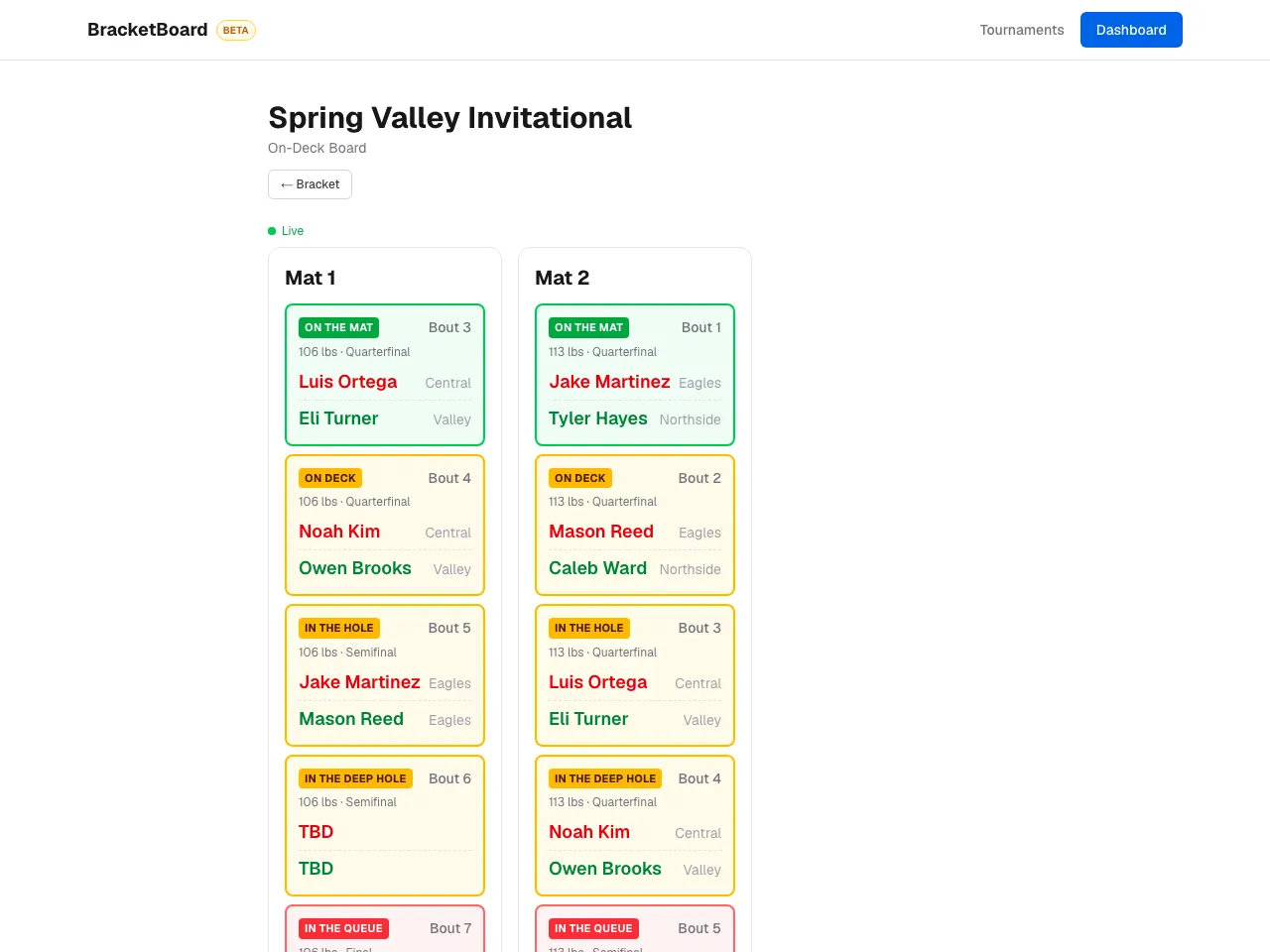
See what's on deck
On Deck shows what's happening on each mat now and the next matches lined up — made for a TV at the venue. It updates live.
- 4
Print or save
Print Bracket gives a print-friendly page with a QR code, so anyone can scan it and follow along live.


Still stuck? Contact us.